Best Hardware Upgrades for Gamers in 2025: Boost FPS, Reduce Lag, and Improve Overall Gameplay

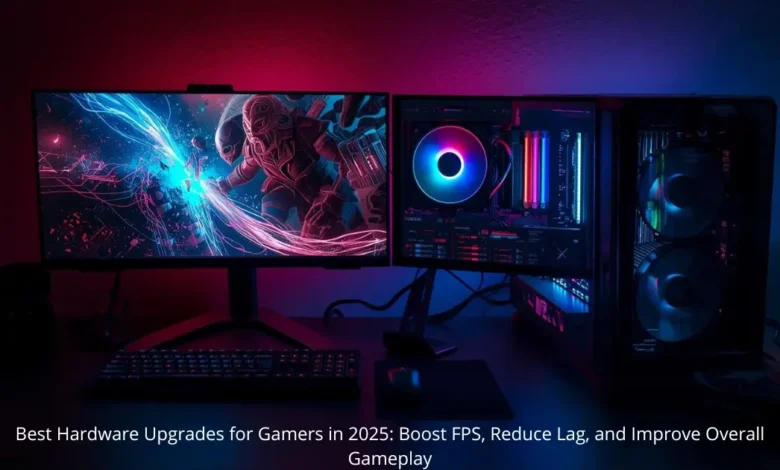
Best Hardware Upgrades for Gamers in 2025 are no longer a luxury — they are essential for players who want smoother gameplay, higher FPS, and more responsive performance in modern titles. With games becoming more graphically intensive and AI-driven, hardware upgrades can dramatically influence your gaming experience and competitive ability.
Contrary to popular belief, throwing money at the most expensive GPU isn’t always the best solution. Real performance comes from understanding system bottlenecks and upgrading the components that provide the most impactful gains.
1. GPU Upgrade: The Biggest FPS Boost
A graphics card upgrade remains the most effective way to increase frame rates and visual quality.
Benefits:
- Significant FPS increases
- Better ray tracing performance
- DLSS/FSR upscaling for smoother visuals
- Higher graphical fidelity without major performance loss
Budget Guide:
- Mid-range: $400–$800
- High-end: $1000+
Upgrading your GPU or CPU can transform gameplay, but your performance also depends on the gear you interact with every day. The right mouse, keyboard, headset, and monitor can elevate precision, reaction speed, and comfort during long sessions. If you’re interested in building a balanced setup that maximizes both power and playability, don’t miss our detailed guide: Best Gaming Gear in 2025.
2. Faster CPU: Reduce Stutters and Improve AI Performance
Modern games rely heavily on CPU processing, especially open-world or competitive shooters with many AI entities.
Advantages:
- Reduced stutter and micro-freeze
- Faster physics calculations
- Improved NPC behavior
- Shorter load times
Ideal Specs:
- 8–12 cores
- High boost clocks
- PCIe 5.0 support
3. RAM Upgrades: Capacity and Speed Matter
RAM is often overlooked, yet it directly impacts how smooth games feel — especially with multitasking and streaming.
Recommended in 2025:
- 32GB DDR5
- Speed 5600–7200 MHz
Benefits:
- Fewer frame drops
- Better stability during gameplay and streaming
4. NVMe SSD Gen4/Gen5: Load Faster, Play Faster
Fast storage is crucial for modern game engines with massive textures and open-world streaming.
Advantages:
- Rapid load times
- Less texture popping
- Faster game installation
Best Capacity:
- 2TB or more
5. Motherboard Upgrade: Stability and Future-Proofing
While it doesn’t directly boost FPS, a good motherboard provides stability, overclocking potential, and future upgrade support.
Look For:
- PCIe Gen 5
- DDR5 support
- Quality VRM cooling
6. Cooling System: Thermal Control = Performance Stability
High temperatures throttle CPU/GPU performance, reducing FPS significantly.
Best Options:
- 360mm AIO liquid cooling
- High-airflow case
Results:
- More consistent FPS
- Longer component lifespan
7. Power Supply: Don’t Ignore It
A stable PSU prevents crashes, instability, and potentially catastrophic hardware failure.
Ideal Specs:
- 80+ Gold/Platinum efficiency
- 850W–1000W
8. Monitor Upgrade: A Hidden Performance Hack
High FPS only matters if your monitor can display it.
Best Monitors:
- 240Hz–360Hz refresh rate
- 1ms response time
- IPS or OLED panel
Advantages:
- Faster visual response
- Smoother motion
- Competitive advantage
Best Upgrade Strategy by Budget
Budget Build
- GPU
- RAM
- SSD
Mid-Range Build
- GPU
- Monitor
- Cooling
High-End Build
- Full DDR5 platform with PCIe 5
How to Detect Bottlenecks
Ask Yourself:
Low FPS?
→ GPU bottleneck
Stutters or freezes?
→ CPU or RAM bottleneck
Slow load times?
→ SSD bottleneck
Which Upgrade Boosts FPS the Most?
- GPU
- RAM
- CPU
- Cooling
For competitive gaming, a fast monitor might matter more than raw power.
Buying Tips in 2025
- Avoid GPUs with less than 12GB VRAM
- Don’t cheap out on your PSU
- Skip SSDs under 1TB
- Prefer GPU + upscaling support (DLSS/FSR)
Conclusion
The best hardware upgrades for gamers in 2025 go beyond simply buying the most expensive GPU. Real improvements come from understanding system needs, removing bottlenecks, and prioritizing upgrades that add the most value.
By upgrading your GPU, RAM, SSD, cooling, and monitor, you can achieve higher FPS, lower latency, and a significantly smoother gameplay experience — whether you’re a casual gamer or a competitive player.
FAQ
1. Does RAM increase FPS?
Yes, especially with newer games and multitasking.
2. Does SSD affect FPS?
Indirectly — it reduces load times and texture stutter.
3. What’s the most important upgrade for competitive gaming?
A fast monitor (240Hz+).
4. Is the GPU the most important component?
For most games — absolutely.